FlashRefresh – Improve Flash Storage Performance
06/25/2026
Has your laptop or PC become less responsive over time? Does starting it up feel like it takes an eternity, do programs take longer to start, files to open more slowly, and everyday tasks just don't feel as smooth anymore?
Most users assume it's time for a new computer. In reality, the slowdown is often caused by the built-in flash storage (SSD) – even if it's still in good condition.
That's where FlashRefresh comes in.
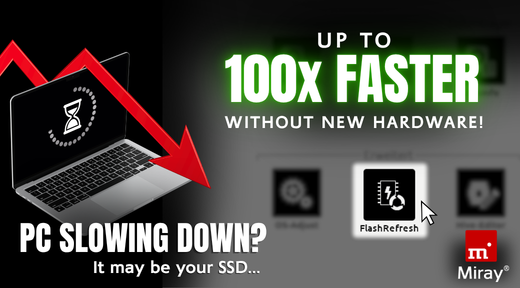
Included with HDClone*, FlashRefresh can help restore lost disk performance and improve system responsiveness. FlashRefresh works by regenerating the data stored on flash-based storage media, thereby restoring optimal readability and responsiveness.
 The process is straightforward and data-preserving::
- Select the flash storage disk to refresh
- Configure optional settings, if needed
- Start FlashRefresh
The result: Performance of up to 100 x faster than before FlashRefresh!**
*) *) Available for HDClone Advanced, Professional (Portable) or Enterprise Editions.
**) Actual results depend on disk type, age, usage and data.

Watch our YouTube tutorial where we not only show how to run FlashRefresh, but also compare the read performance before and after refreshing.
While you're there, subscribe to our YouTube channel for more tutorials and content!
Key Benefits
- Improved Disk Performance: FlashRefresh can help recover performance that has been lost due to the aging of the flash storage.
- Extended Disk Usability: Organizations and power users may be able to prolong disk life without compromise.
- Preventive Maintenance: Running FlashRefresh as part of a maintenance strategy can help keep constantly running systems operating efficiently.
Best Use Cases
- Workstations running 24/7
- Servers with long uptime periods
- Professional content creation systems
- Older SSDs showing reduced read speeds
- NVMe disks that remain in continuous operation for years
Refresh Your Flash Storage
Order HDClone Now in the Miray Online Shop:
>> HDClone X.7 Advanced Edition
>> HDClone X.7 Professional Edition (Portable)
>> HDClone X.7 Enterprise Editionen
For Updates/Upgrades: Use the Update & Upgrade Configurator in the Miray Online Shop to find and order the HDClone update you need.
Do you have any questions, comments or feedback? Please let us know!
Your Team of Miray Software
News archive
2026
2025
2024
2023
2022
- HDClone X.4 for Early Adopters
- Release #2 of HDClone X.3 – Enhanced Features & Optimization
- HDClone X.3 Now Supports The Use of WIM Images
- HDClone X.3 Covers More Hardware Devices and OSes Than Ever Before
- Maximum Data Rescue with HDClone X.3
- HDClone X.3 - Benefit from Updating your Backup and Cloning Software Now!
2021
2010
2009
2008
2007
- RTOS Symobi on up to 32 processor cores
- Miray Software on SYSTEMS 2007
- New Version 3.2 of HDShredder
- New Version 3.5 of HDClone
- Symobi for everybody!
- HDClone Enterprise Edition now available
- Expansion of Miray Software
- HDClone Enterprise Edition
- HDClone 3.2 Copying Hard Disks with AHCI and Firewire